
A shopper reads “750 mm” on a shelf card and asks whether the cabinet fits a 900 mm alcove. The answer changes depending on whether that first number describes storage or sewing. A useful product card puts the two configurations next to each other and identifies what still needs to be checked.
Write the dimensions as a pair
Here is a shelf-card example for the BA-1. Closed: 750 mm wide × 520 mm deep × 750 mm high. Open: 1,330 mm wide × 520 mm deep × 750 mm high. The extra 580 mm of width belongs to the working setup. Label the units on both lines. Keep cabinet dimensions separate from shipping-carton dimensions, which answer a different question.
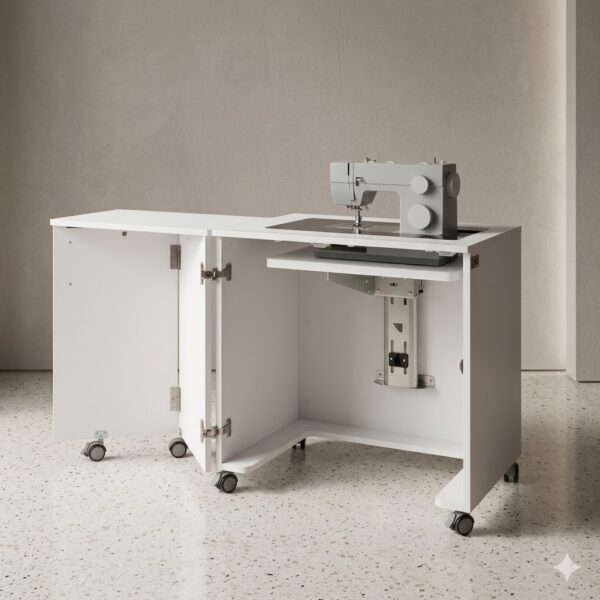
Use photos that answer different questions
Choose one closed view to show the piece as furniture and one open view from the operator’s side. In the open caption, point out the left extension and the machine bed. A close-up of the folding support adds information that another front view would repeat. On a website, describe what the photo shows in the image’s alternative text.
Leave a place for a fit check
Add a short line such as “Tell us your machine brand and exact model so we can confirm the insert.” On a printed card, leave room for the associate to write the model number. On a web listing, link those words to the inquiry form. Keep the external dimensions available even while the insert dimensions for a customer’s machine are being confirmed.
Use the BA-1 product gallery and the BA Series dimension chart as the reference for a display card. Retailers can ask about model-specific details through the dealer inquiry form.